Features
Explore ClipboardIQ
AI That Learns From You
No other basketball app does this. Rate drills after practice and watch recommendations get smarter. The AI remembers what works for your team.
Conversational AI Practice Planner
Just chat to create perfect practice plans. Tell the AI about your team and what you need - it generates sports science-backed plans with proper warm-up, skill development, team strategies, and cool-down phases.
Manage Games Like a Pro
Easily manage every aspect of your games by assigning operator roles and tracking game progress on smart devices.
Sports Science-Backed Plans
Every AI-generated plan follows proven coaching science: dynamic warm-ups, skill work when fresh, game-like application, and proper recovery.
Manage Practices Like a Pro
Create custom drills, practice plans, and keep your practices organized with drill goals, emphasis, target scores, and timers displayed on integrated devices. Perfect for running competitive, high-efficiency practices.
Learn MoreMulti-Device Scoreboard Integration
Transform your smart devices into a fully functional, multi-role scoreboard system. Utilize any connected device as a scoreboard or table official tool, providing real-time score updates, stats tracking, and more.
Learn MoreDetailed Drill & Game History
Automatically save stats for every drill and game, allowing coaches to review past performances and make adjustments for continuous improvement.
Set Game Rules
Use from predefined rulesets or create different ones for specific rules for your league.
Stream Overlays
Integrate an HTML overlay to your live stream for professional-looking game streams directly from your court.
Selection of Scoreboard Designs
Select from various scoreboard designs that match your gym's style and requirements.
Upgrade to Pro
Unlock unlimited AI practice plans that learn from your feedback, multi-device integration, sports science-backed recommendations, custom drills, and stream overlays. Get priority access to new features!
Upgrade from your AppReady to Elevate Your Coaching Experience?
Get started with ClipboardIQ today and see how our innovative tools can transform your basketball program.
Download NowGetting Started with ClipboardIQ
1. Download the App
Available on iOS, Android, and Desktop. Download the ClipboardIQ app from the App Store, Google Play, or directly from our website for desktop.
2. Create an Account
The first user needs to create an account to manage and synchronize all data across connected devices. This user will act as the admin.
3. Connect Additional Devices
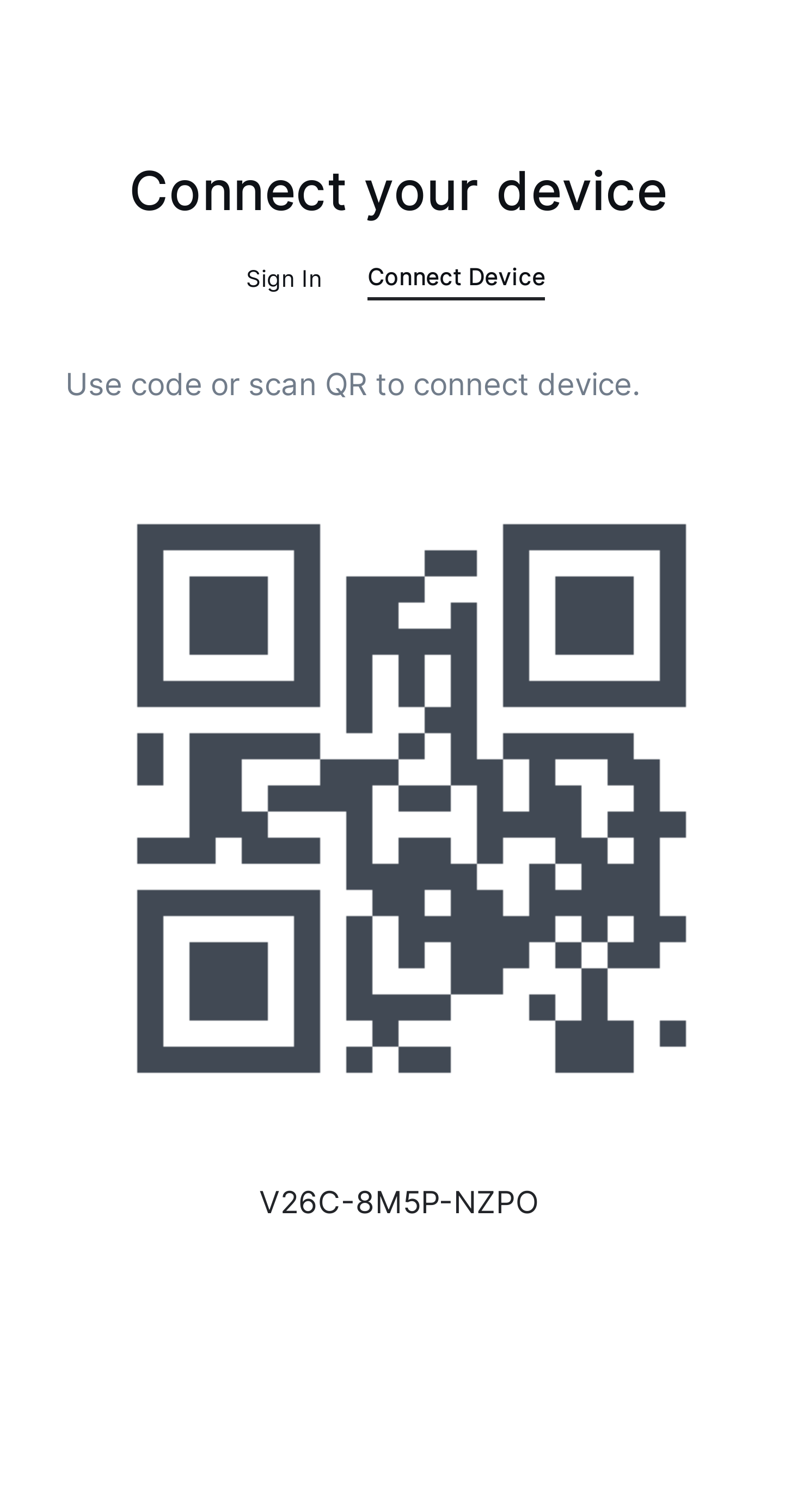
Other users download the app, select "Connect Device" on the main screen, and display a QR code or text representation for pairing.
Pairing Devices
On the main device (admin user), go to the "Add Device" menu. Scan the QR code or enter the pairing code displayed on the connecting devices to link them. Once paired, assign specific roles to each device for optimized practice and game management.
To use the desktop app as a display on a remote device without a mouse or keyboard, start the app with the --remote-device=1 parameter. This will automatically open the "Connect Device" tab on startup, displaying the QR code for quick pairing.